
22 Work From Home Set Up Ideas for 2026
I used to think I just needed more discipline. If I could wake up earlier, ignore the noise, try harder, maybe I’d finally focus.
But the truth hit me one morning while answering emails at the kitchen table. Toys were everywhere. The TV was on. My back hurt.
Every five minutes someone needed a snack, a hug, or help finding a shoe. It wasn’t a motivation problem.It was my setup.
This Article showcases 22 practical Work From Home Set Up ideas that people are already adopting in 2026.
Let’s jump in!
How Do I Design a Work From Home Setup That Reduces Distractions?
First, stop trying to focus harder. If your setup invites distraction, your brain will follow it. Start with location. If your desk faces the TV, you’ll look at it. Turn it away.
If you work where you relax, your brain stays in relax mode. Create a small zone that’s only for work even if it’s just one corner.
Next, remove what pulls your attention. Clear the desk. Hide the toys. Silence notifications you don’t need.
Then fix what annoys you. If your back hurts, you’ll keep shifting. If the lighting is bad, your eyes will strain. Small physical discomforts become big mental distractions.
Save this article for later! 👇👇
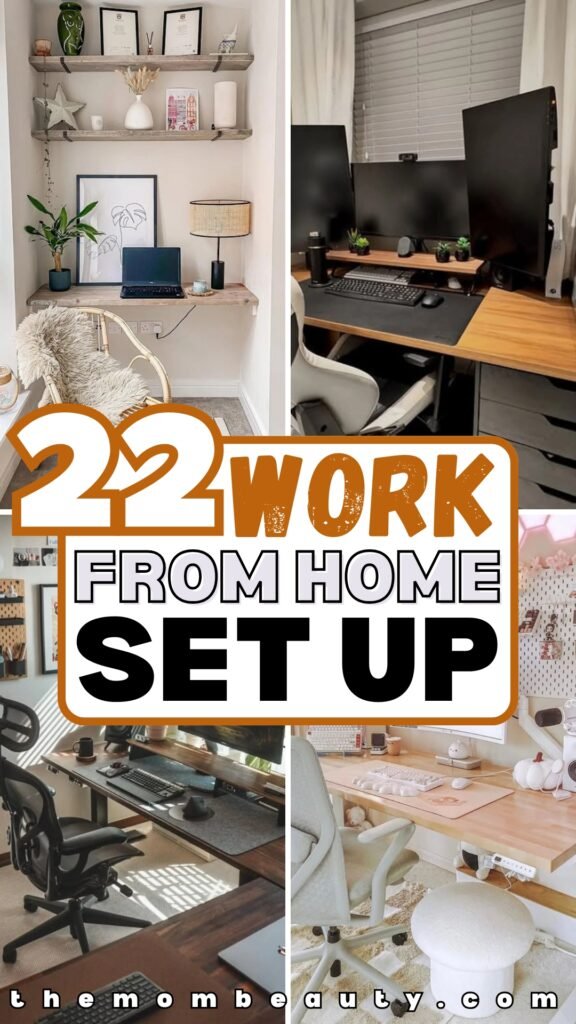
Monitor Riser
Eye strain usually starts with one mistake your screen sits too low. Then your neck bends. Then your shoulders round. By the end of the day, you feel drained for no clear reason.
A simple wooden riser like this creates the right height so your eyes land naturally at the top third of the screen. No leaning forward. No chin dropping.
Posture fixes itself without you thinking about it. The space underneath becomes hidden storage. Slide your keyboard in when you’re done. Keep notebooks out of sight. Clear desk, clear mind.
Works best in small rooms where visual clutter builds fast. Recreate it with a solid shelf, stacked wood boards.
Even thick books if you’re on a budget. Just make sure the screen meets your eye level when you sit back in your chair.
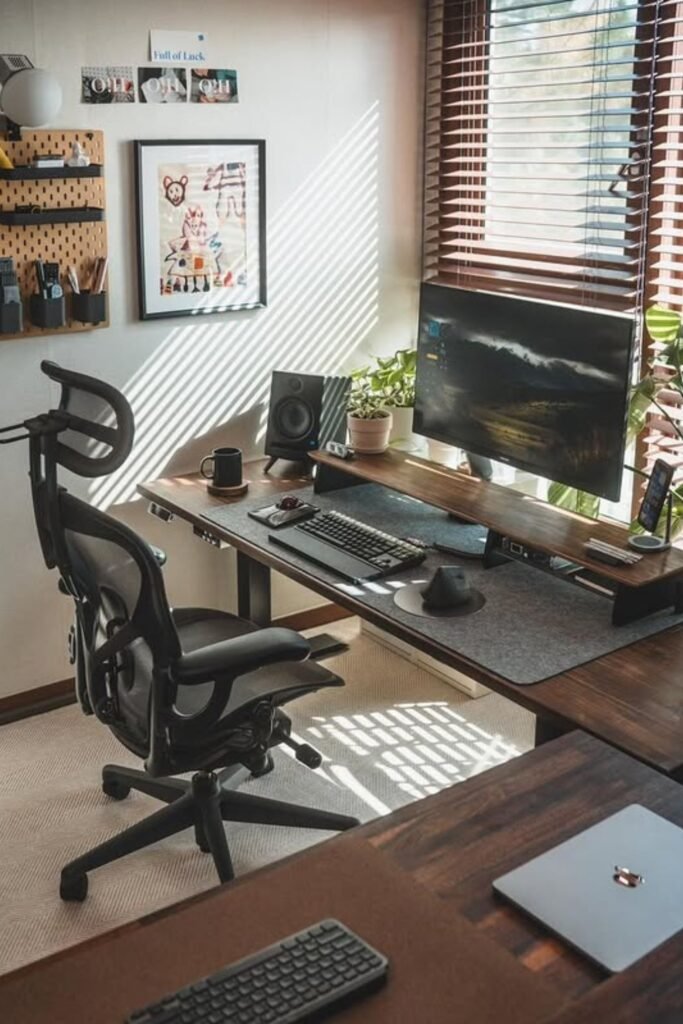
Triple Screens
Stop flipping between tabs every five seconds. Screen switching drains focus faster than most people realize.
One screen holds email. One keeps your main task open. One handles research or meetings. No minimizing. No losing your place.
Vertical side monitors work especially well in tight corners. They give you height instead of width, which saves desk space.
Pair them with a simple riser so all screens align at eye level. Misaligned monitors create neck strain, and neck strain kills productivity.
Best for moms juggling client work, school portals, and messaging apps at once. If three feels too much, start with two. Even one extra screen cuts mental clutter in half.
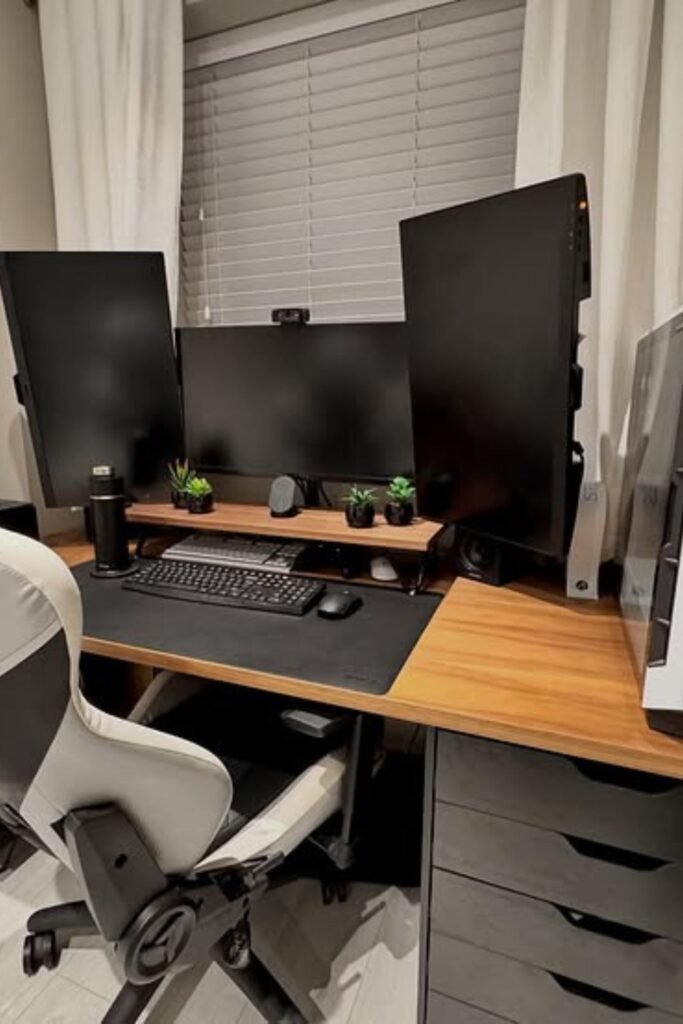
Floating Shelves
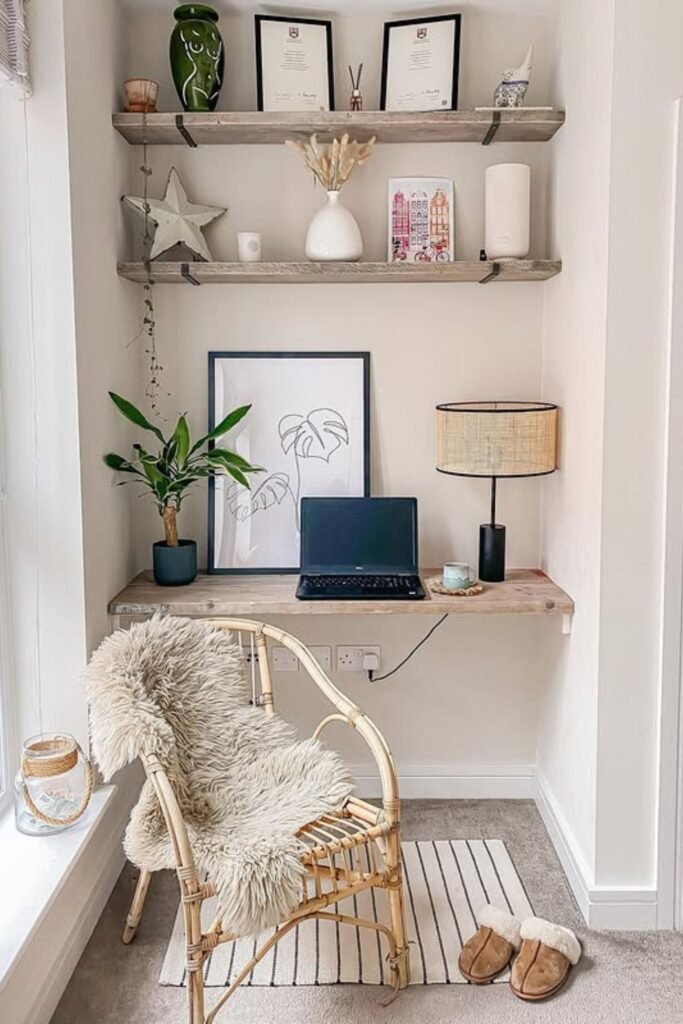
A narrow desk with shelves above turns an empty corner into a real work zone without stealing floor space.
Vertical storage keeps everything you need within reach while keeping the surface clean. When the desk stays clear, your mind stays clear too.
Open shelving works best when you control what goes on it. Keep only what supports your day files, a plant, soft lighting, maybe one framed reminder of why you’re doing this.
Position the desk near a window if possible. Natural light lifts energy without adding screen glare. Add a small lamp for evening focus.
Perfect for bedrooms, hallways, or that awkward space near a door. One wall, one shelf, one desk—that’s enough to build your boundary.
Pegboard Wall
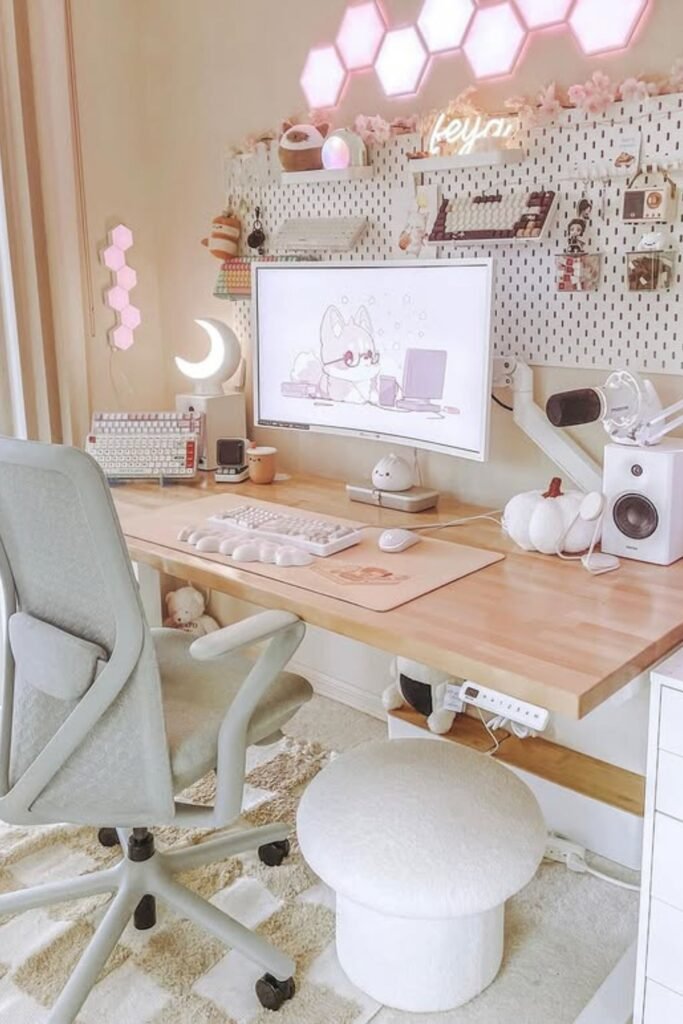
Clutter usually happens because small things have no home. Sticky notes, headphones, chargers, pens they land on the desk and never leave. A pegboard fixes that fast.
Mount it right above your workspace and move storage upward instead of outward. Hooks hold headphones. Small baskets carry cables.
Clips display reminders. Everything stays visible but off your desk. Soft lighting panels add more than style.
Warm backlighting reduces harsh contrast between screen and wall, which helps your eyes during long sessions.
Best for creative moms, content creators, or anyone managing tools and tech daily. Keep the color palette simple so it feels soothing, not busy.
Studio Lighting
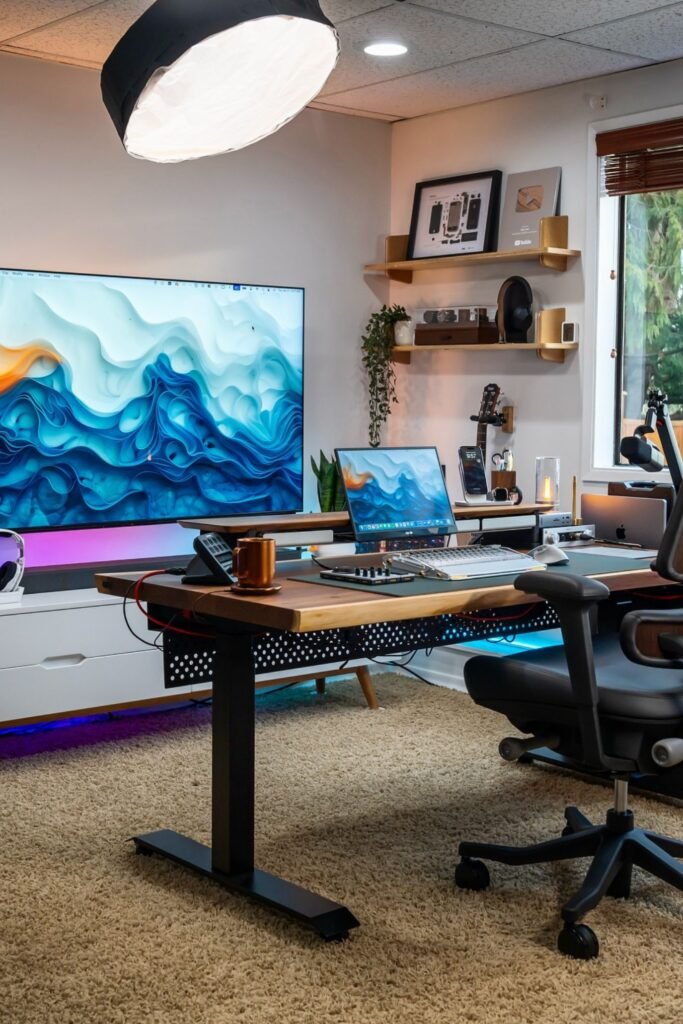
Bad lighting ruins focus and confidence at the same time. Dark rooms make you tired. Harsh overhead lights give you headaches.
Poor video lighting makes you look washed out on calls. Controlled lighting changes the whole mood.
A large softbox overhead spreads even light across your desk without creating sharp shadows. Add a small panel light near the window for balanced face lighting during meetings.
LED strip lights under the desk or behind the monitor reduce eye strain by softening screen contrast. That glow isn’t just aesthetic it protects your eyes during long work blocks.
Best for content creators, remote meetings, or anyone working late hours. Layer your lighting: overhead for brightness, desk-level for detail, background for depth.
Green Corner
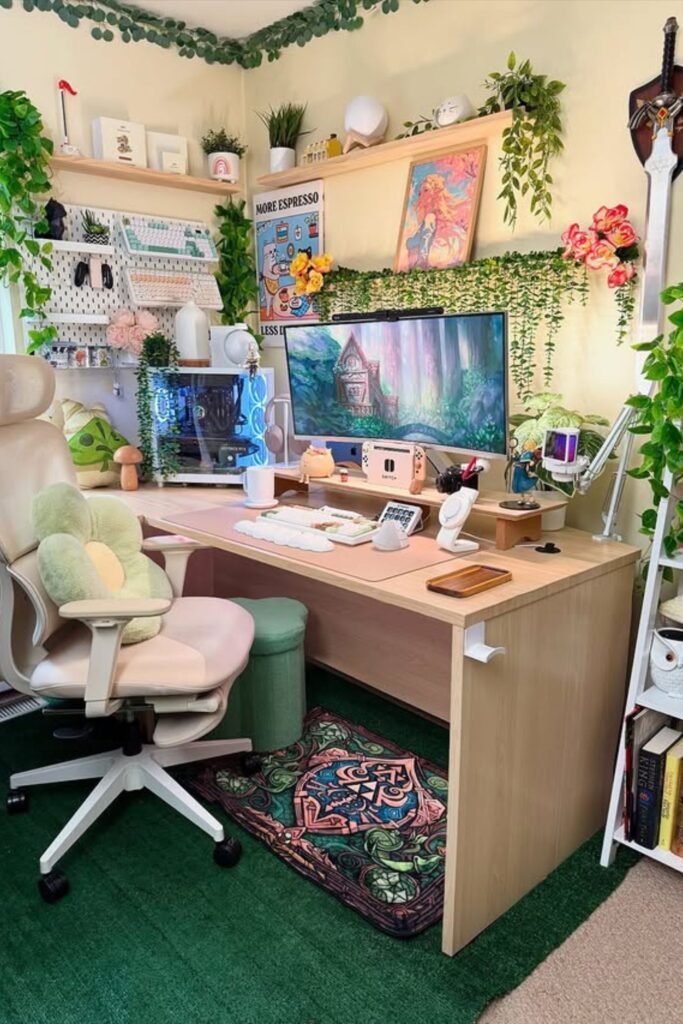
Energy drops fast in dull spaces. Blank walls and cold surfaces make work feel heavier than it needs to be.
Surround your desk with living elements and the mood shifts immediately. Trailing plants along shelves soften hard lines and absorb visual stress.
A large monitor centered against greenery creates contrast that feels calming instead of sterile. Even a small desk plant near your keyboard can break that “all tech” feeling.
Layer shelves above the desk so decor and tools stay off your work surface. Keep the desk itself functional—keyboard, mouse, essentials only. Everything else goes up or to the side.
Perfect for moms who want their workspace to feel alive, not corporate. Choose low-maintenance plants if time is limited.
Laptop Stack
Neck pain doesn’t come from working too much. It comes from looking down all day. Lifting your laptop to eye level fixes that instantly.
Use a stand or stack sturdy books until the top of the screen aligns with your eyes. Add an external keyboard and mouse so your shoulders stay relaxed instead of lifted.
Pairing a laptop with a second monitor keeps things efficient without overcrowding a small desk. Keep the main screen centered and slide the laptop slightly to the side as a support display.
Small desks benefit most from this setup. It adds function without demanding more space. Just make sure cables are secured underneath.
So nothing dangles near your legs. Comfort first. When your posture improves, focus follows.
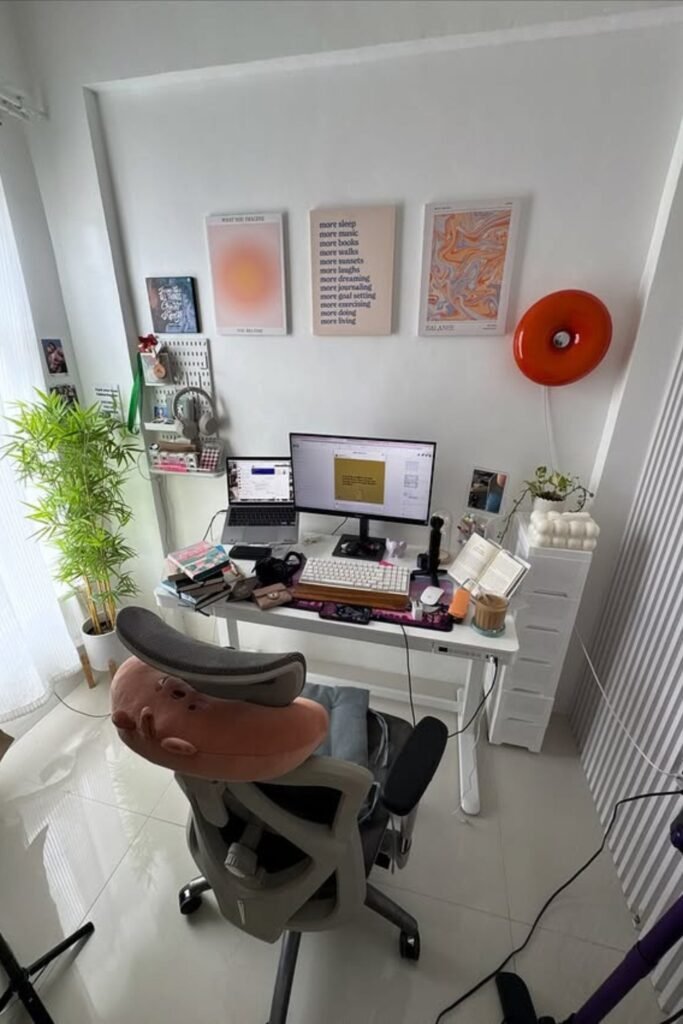
Window Focus
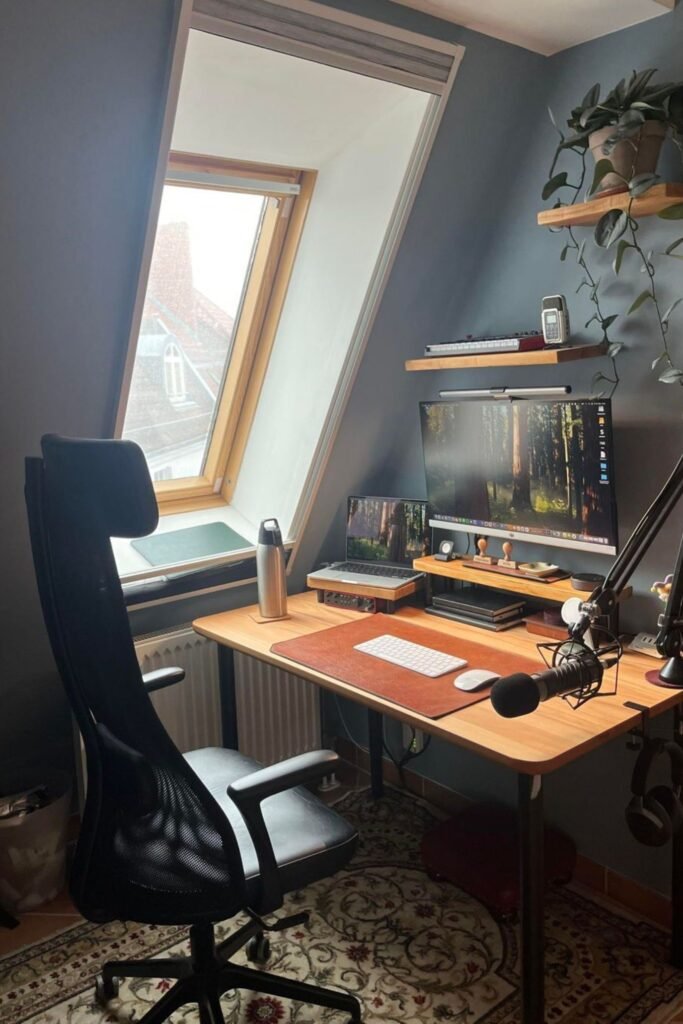
Staring at a wall all day drains creativity. Natural light changes that instantly. Position your desk beside a window, not directly in front of it.
Side lighting keeps your screen visible while giving your eyes regular breaks when you glance outside. That small shift reduces fatigue more than you think.
A compact desk works perfectly in angled or narrow spaces like this. Add a monitor riser to keep your screen at eye level.
And slide your laptop underneath when not in use. Mount a slim shelf above for items you use daily.
Headphones and a mounted mic keep calls clean without cluttering your workspace. Best for attic rooms or small corners.
Closet Office
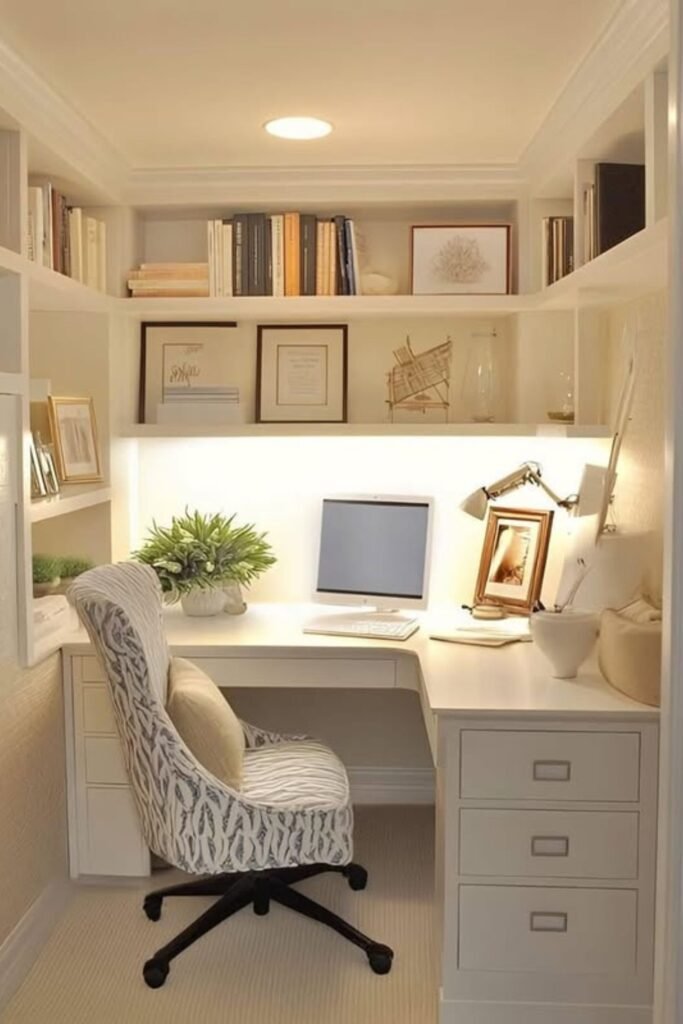
Silence becomes easier when the space feels enclosed. A recessed nook like this creates instant separation from the rest of the house without building a new room.
Built-in shelves above and on both sides keep everything organized vertically. Books, files, and decor stay off the desk, which protects your focus.
A centered monitor keeps posture aligned, while a simple desk lamp adds targeted light for late evenings.
Neutral colors matter more than people realize. Soft whites and warm lighting reduce visual stress and make small areas feel calm instead of cramped.
Perfect for bedrooms or unused alcoves. If you don’t have built-ins, use tall bookcases to frame the desk and create the same room within a room feeling.
Standing Desk
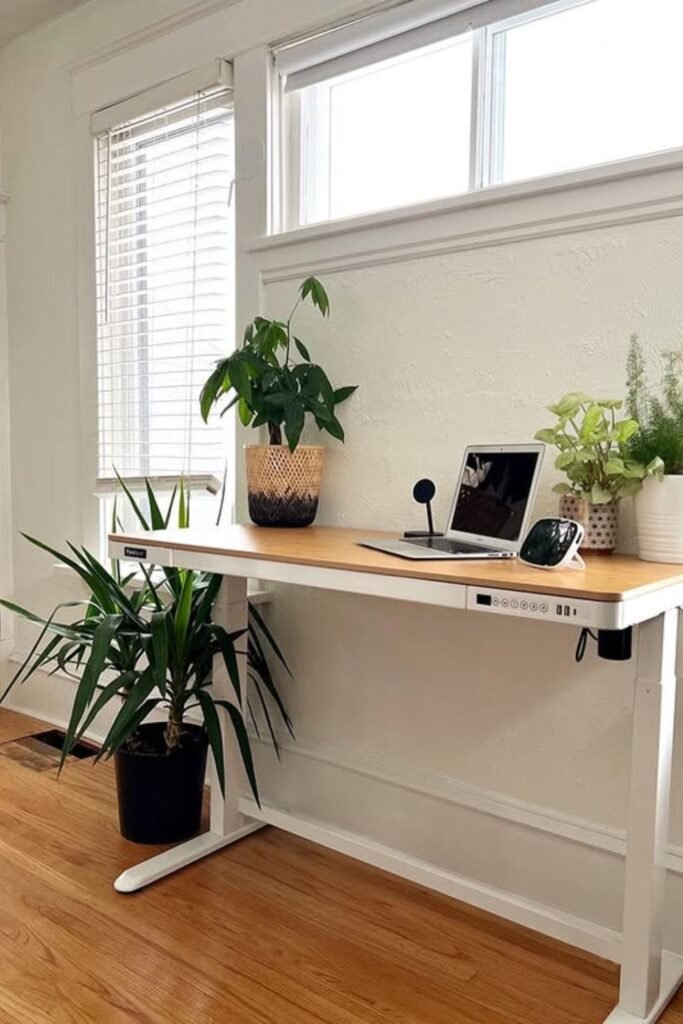
Sitting for hours makes your body tired before your brain is done. Energy drops, posture collapses, and focus fades.
An adjustable standing desk fixes that without changing your space. Raise it when you feel sluggish. Lower it when you need deep concentration.
Keep the surface simple laptop, small mic, maybe a plant. Too much weight makes height adjustments annoying. Tuck cables underneath so nothing pulls when the desk moves.
Place it near a window if possible. Standing with natural light boosts alertness and improves mood during long afternoons.
Best for moms who move between tasks all day. Stand during calls. Sit for detailed work. Switch often. Your body will feel the difference before you even notice the productivity gain.
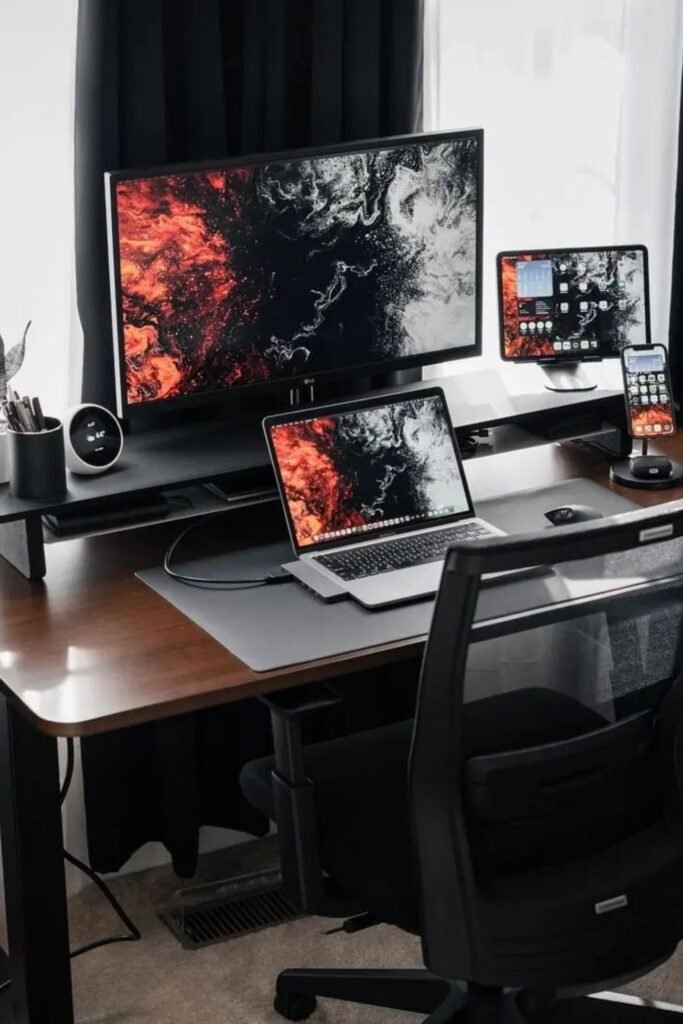
Device Dock
Constantly switching between laptop, tablet, and phone can turn your desk into chaos fast. Cables everywhere. Screens at different heights.
A raised monitor shelf keeps your main screen at eye level while creating space underneath for your laptop.
Add a vertical stand or charging dock for your phone and tablet so they stay visible but not in your hands.
Use one central hub to connect devices instead of plugging and unplugging cords all day. Fewer cables mean fewer distractions.
Best for busy moms managing emails, social media, school apps, and work projects at once. Keep devices within reach but off your main typing space. Control the tech, and it stops controlling you.
Balanced Audio
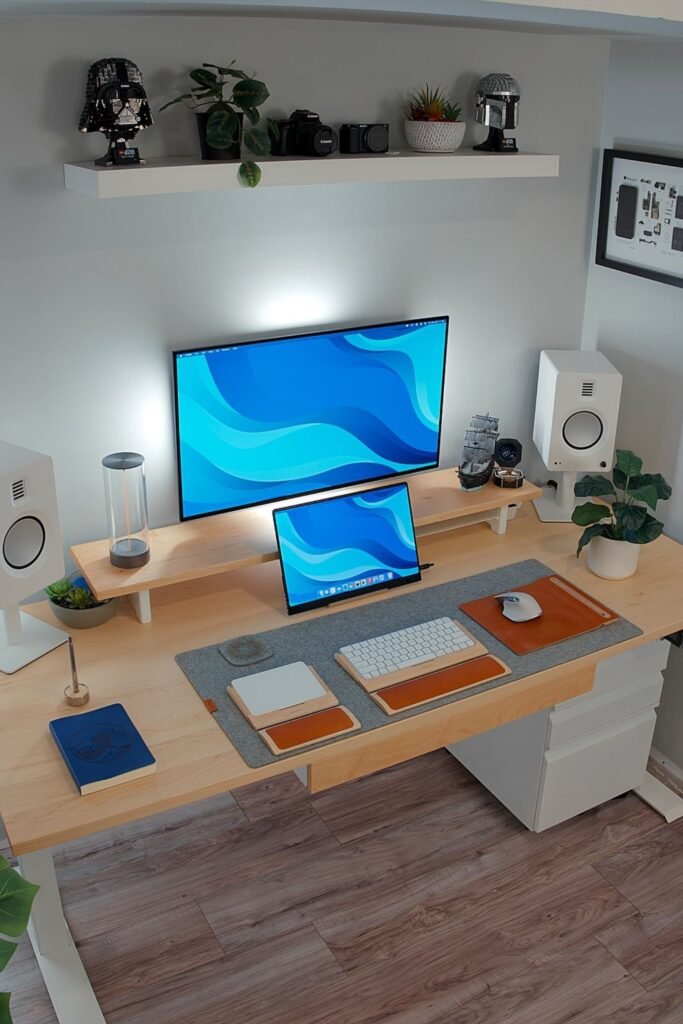
Echo and background noise ruin calls faster than bad internet. Clear sound starts with proper speaker and mic placement.
Position speakers at equal height on both sides of your monitor. That balance keeps audio centered and prevents sound bouncing awkwardly around the room.
Add a small desk mic angled toward you instead of relying on your laptop mic. Your voice becomes sharper and more professional instantly.
Keep the desk surface clean with a large desk mat. It absorbs small vibrations and reduces clutter at the same time.
A monitor riser keeps screens aligned while creating space underneath for your tablet or accessories.
Works best in small rooms where sound reflects off walls. Soft textures plants, rugs, even wall art help absorb echo naturally. Control your sound, and meetings feel smoother and less stressful.
Corner Layout
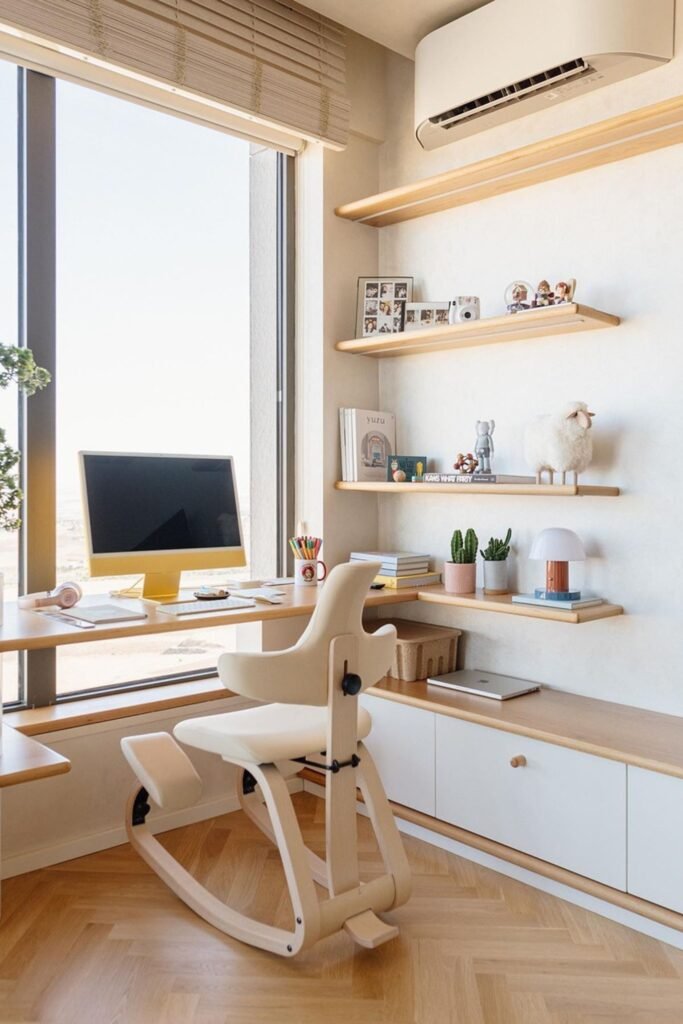
Dead corners waste space. Turn one into your most productive spot. An L-shaped desk along the window gives you two work zones without taking over the room.
Keep the shorter return for writing, planning, or placing a laptop when needed. That separation helps your brain switch between tasks without feeling crowded.
Floating shelves above keep storage vertical. Display only what supports your work books, small plants, maybe one personal photo. Closed cabinets below hide everything else.
Place the monitor near natural light but not directly in front of glare. Side lighting keeps your screen clear and your mood steady.
Best for small apartments where every inch matters. One corner can hold more than you think when it’s planned with intention.
Layered Lighting
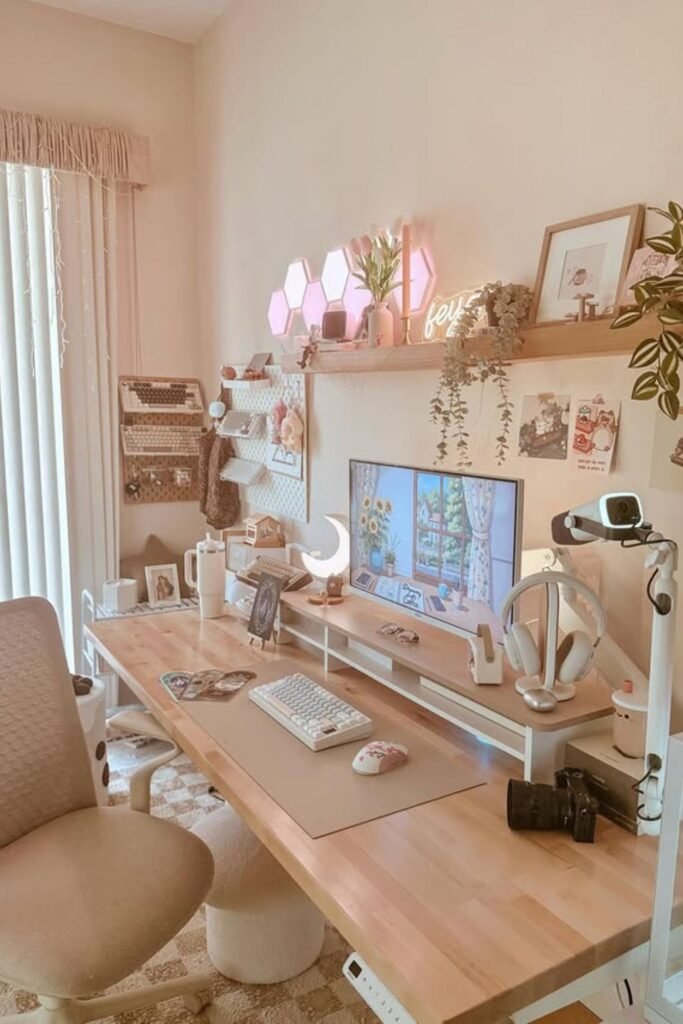
Harsh overhead light kills the mood fast. Soft layers make a workspace feel calm instead of clinical. Combine three light sources and watch the difference.
A slim monitor riser with a small lamp adds warm glow at eye level. Hex wall panels create gentle background light that reduces contrast between your screen and the wall.
A desk lamp angled toward your keyboard helps during late evenings without flooding the room.
Keep lighting warm, not bright white. Warm tones feel relaxing, which lowers mental tension during long work sessions.
Works beautifully in bedrooms where you need the space to shift from work to rest. Turn off the decorative lights after hours and the room transforms back.
Cozy Nook
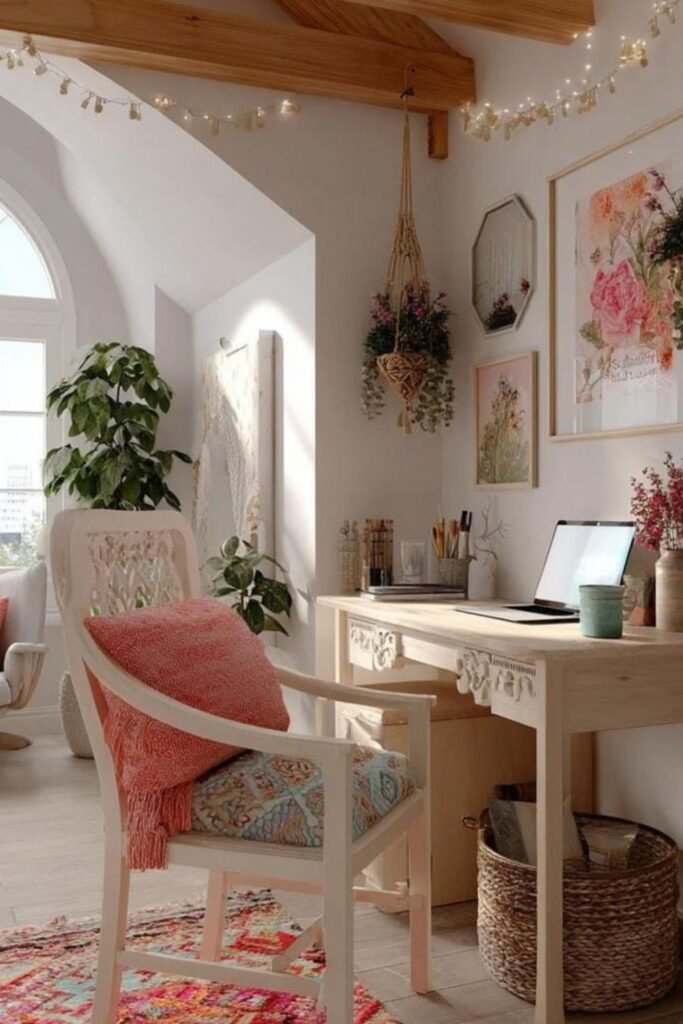
A slim wooden desk against the wall keeps things simple and grounded. Add one comfortable chair with a cushion so you don’t rush through your work just to stand up.
Hang art and soft decor above eye level to create a backdrop that feels inspiring, especially for video calls.
String lights across beams or walls bring a gentle glow that makes evening work feel peaceful instead of exhausting.
Keep storage minimal a basket underneath for papers, a small container for pens. Limit surface clutter so the beauty doesn’t turn into distraction.
Perfect for living rooms or shared spaces where your desk needs to blend in. Make it warm, and work won’t feel like punishment.
Ambient Glow
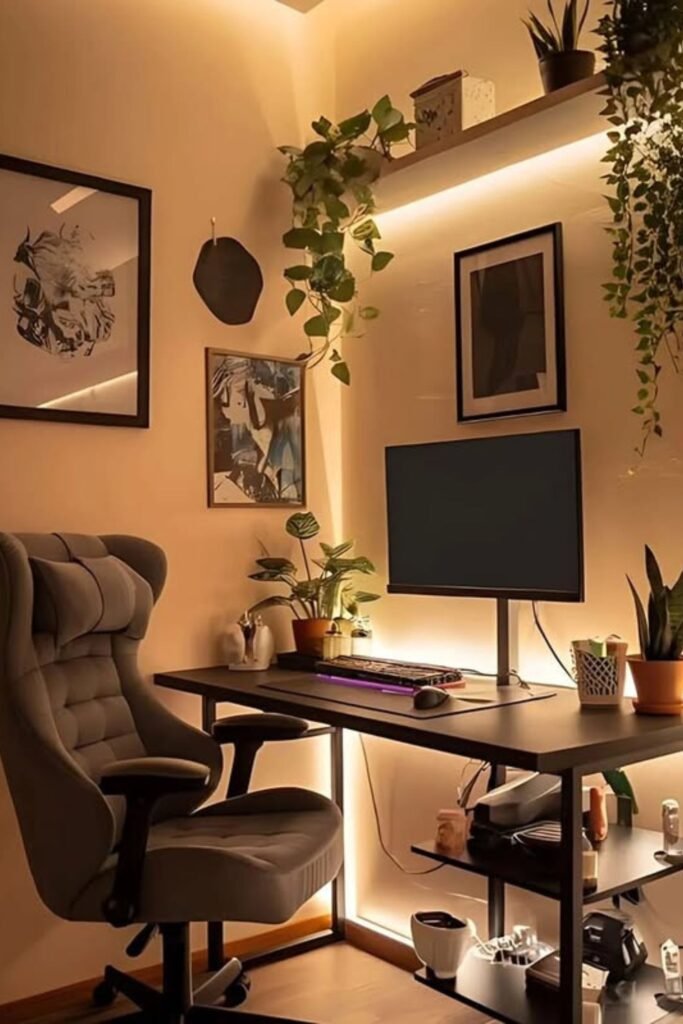
Overhead lights alone make everything feel harsh. Soft backlighting completely changes the atmosphere.
Install LED strips behind your desk or under floating shelves. That warm glow removes hard shadows and reduces the contrast between your screen and the wall.
Keep the desk itself simple monitor centered, keyboard aligned, nothing unnecessary. Let the lighting create depth instead of adding more decor.
Choose warm white tones instead of bright blue light. Warm light signals calm, which helps your brain stay steady during long work blocks.
Perfect for evening workers or moms squeezing in tasks after bedtime. Lighting alone can turn a basic corner into a focused, calming retreat.
Clean Minimal
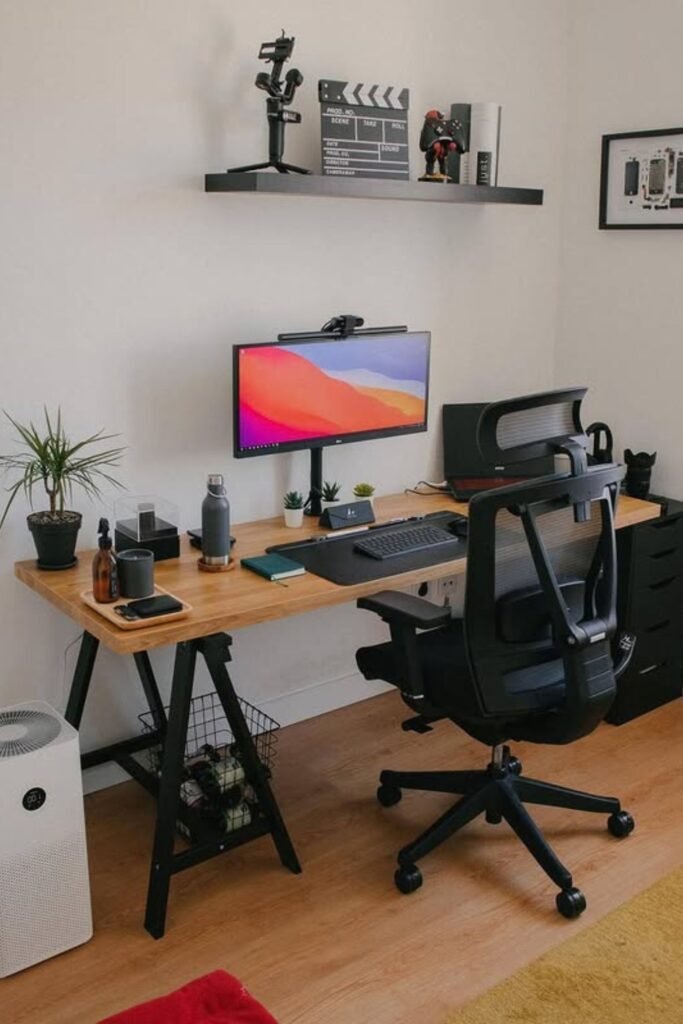
Too many objects on a desk create silent pressure. Your brain keeps scanning everything even when you try to focus.
Strip it back. One monitor centered at eye level. One keyboard. One mouse. A small plant for softness. That’s it. Everything else goes into drawers or on the shelf above.
A simple wood desk with open legs keeps the space feeling light instead of boxed in. Mount a small camera on top of the monitor for clean video calls without extra tripods.
Add an air purifier nearby if the room feels stuffy. Fresh air helps more than people expect during long work sessions.
Best for deep focus work. Fewer items mean fewer decisions. Fewer decisions mean more mental energy for what actually matters.
Screen Light
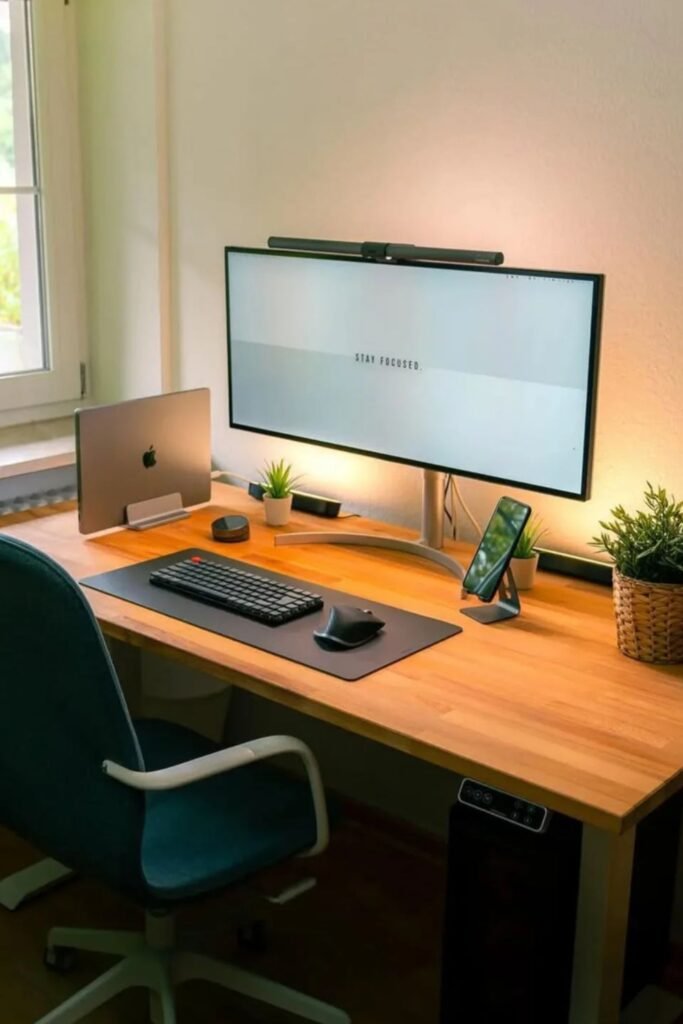
Eye fatigue sneaks up quietly. You don’t notice it until your head starts to ache. A monitor light bar solves that without taking up desk space.
Mounted on top of the screen, it shines directly onto your desk instead of into your eyes. That keeps the keyboard visible and reduces glare at the same time.
Pair it with soft backlighting behind the monitor. The glow reduces contrast between the bright screen and the wall, which makes long work sessions easier on your eyes.
Keep the desk simple keyboard centered, mouse aligned, phone on a stand instead of lying flat. Clean lines help your brain stay focused.
Best for small desks near windows where natural light changes throughout the day. Control the lighting, and you control how long you can work without feeling drained.
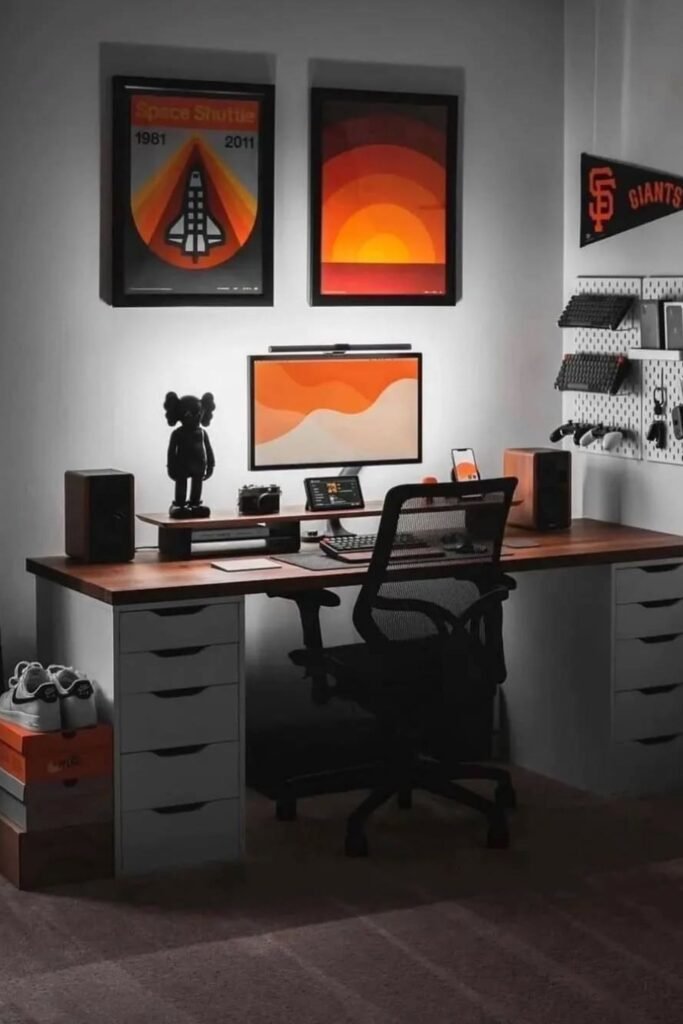
Statement Wall
Blank walls waste energy. Use them to anchor your focus. Framed prints above your monitor create a strong visual boundary that defines the workspace.
Once the wall looks intentional, the desk below feels purposeful too. Choose artwork with a consistent color theme so the space feels cohesive instead of busy.
Mount a pegboard to the side for tech accessories controllers, headphones, cables. Keeping gear off the desk protects your main work zone from clutter.
Speakers placed evenly on both sides of the monitor balance sound and symmetry at the same time.
Drawer units under the desk handle everything you don’t need daily. Hide the mess, display only what inspires.
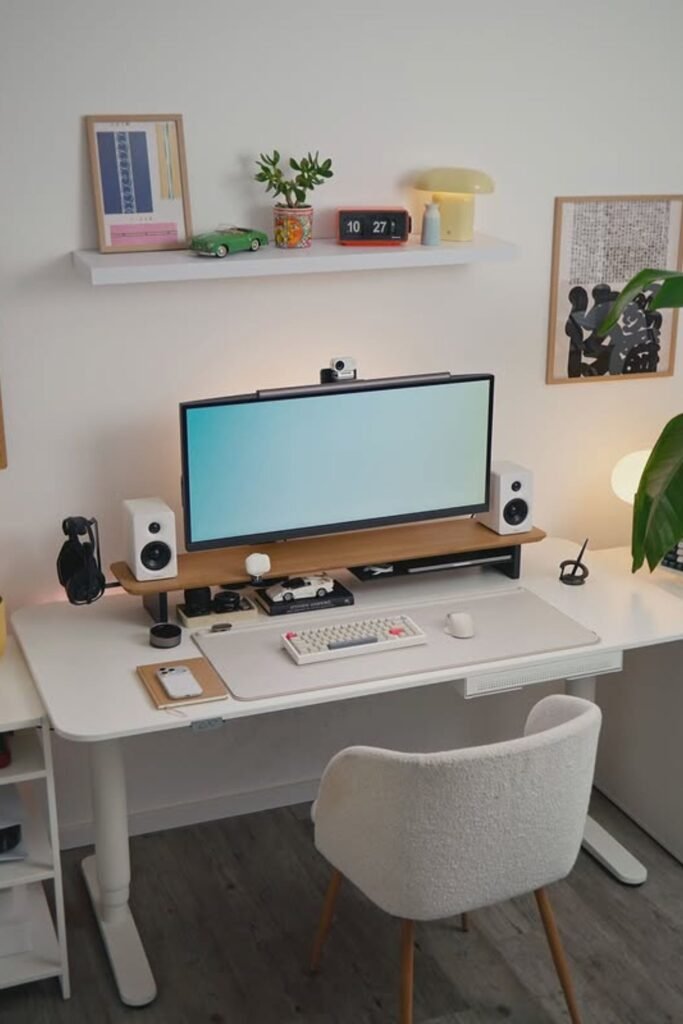
Shelf Balance
Symmetry calms the brain faster than you realize. Even spacing, balanced decor, centered screens it all reduces visual stress.
Center your monitor and place speakers evenly on both sides. Add a slim riser to lift the screen to eye level and free up space underneath for small tech like a webcam dock or charging hub.
Use a single floating shelf above to display only a few intentional pieces a clock, a small plant, one framed print. Too many items break the balance and pull attention upward.
Drawer units on both sides create hidden storage and keep the desktop clear. This setup works well in dedicated rooms.
Where you want calm, focused energy without losing personality. Clean lines create clear thinking.
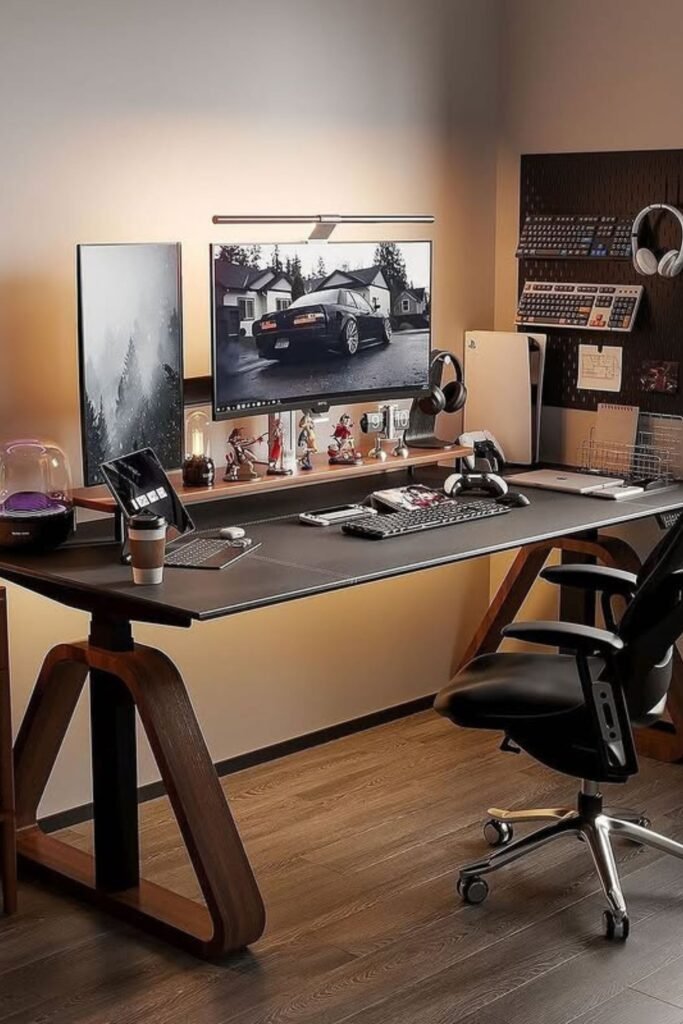
Dual Workflow
Switching between tasks shouldn’t mean switching your whole setup. Two monitors one horizontal, one vertical create a natural work rhythm.
Use the wide screen for deep focus tasks like writing, editing, or design. Keep the vertical screen for email, chat, or documents you reference often. Less tab jumping means fewer mental resets.
A monitor light bar above the main screen keeps your desk visible without glare. Pair it with a large desk mat to define your typing zone and protect the surface.
Wall-mounted panels or pegboards on the side hold headphones and small gear so they don’t crowd your space. Keep figurines or decor limited to the riser, not the main desk.
Great for content creation, client work, or multitasking moms who need structure without clutter. Separate tasks visually, and your mind follows.
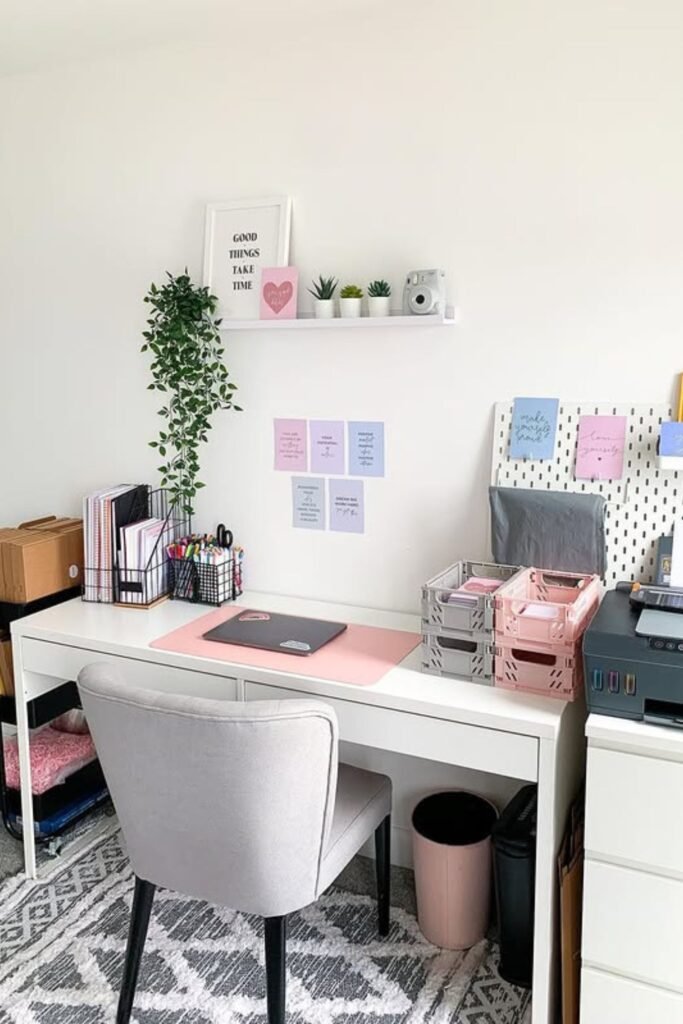
Paper Control
Paper piles steal focus faster than notifications. One stack turns into five before you notice. Give every document a home.
Use vertical file holders on one side of the desk for active projects. Add stackable trays for papers that need action this week.
Keep a small drawer for tools scissors, tape, extra pens so they don’t spread across the surface.
Mount a pegboard or small board above the desk for reminders instead of scattering sticky notes everywhere. Limit visible notes to what truly matters right now.
Place your printer on a separate unit if possible. Mixing paperwork and tech on the same surface creates visual overload.
FAQs
What if I don’t have a separate room for a home office?
You don’t need a full room. You need a defined zone. Even one corner with a small desk can work if you treat it like a boundary. Face the desk away from the TV.
Use a rug, shelf, or lamp to visually separate it from the rest of the room. When you sit there, you work. When you leave, you’re home. That mental switch matters more than square footage.
How do I stay focused when my kids are home?
Design helps more than willpower. Keep your desk clear so there’s nothing tempting to play with. Use headphones during deep work blocks.
Set clear “focus times” and visible signals like a small desk lamp turned on only during work. Short, structured sessions work better than trying to power through chaos all day.

Hi, I’m Afaf! I’m a law student who loves all things home, style, and gardening. I’ve been writing for over a year about topics like home decor, DIY projects, plants, fashion, and beauty.
I like sharing ideas that are easy to try and don’t cost a fortune. Whether it’s organizing a messy closet, decorating on a budget, or keeping houseplants alive, I write about what I’ve actually tried myself.
When I’m not studying, I’m usually on Pinterest looking for my next project or adding another plant to my collection!